Instructions and memory
Write the standing rules a project's agent follows, and correct what it has written down about your work.
Instructions are what you write, and the agent never changes them. Memory is what the agent writes as it works, and you correct it. They are the same kind of box facing opposite directions, and every label on these screens says which way it faces.
If you want the agent to behave a certain way from now on, write it in instructions. If the agent has recorded something wrong or out of date, fix it in memory.
Write a project’s instructions
Open the Instructions tab
Open the project’s settings from the gear on the project home, choose Advanced, then the Instructions tab. The panel is headed Project instructions, and the line under it says who writes it.
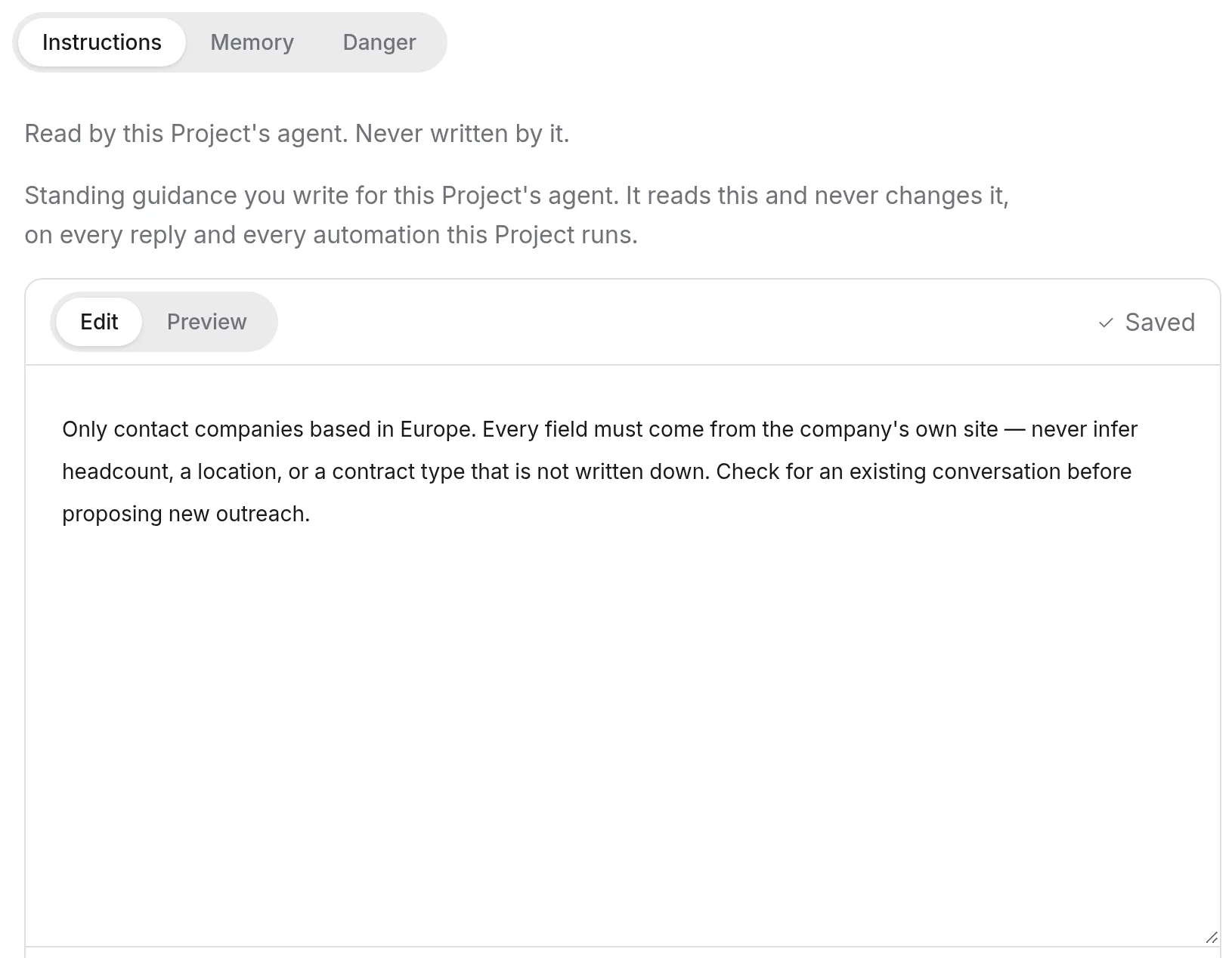
Write the standing rules
Write the way you would brief a new colleague on their first day: how to sound, what never to do, facts that rarely change, and when to stop and ask. The editor takes Markdown, with Edit and Preview tabs, and a Sections list down the side that follows your headings.
## Voice
Reply to customers in plain Dutch. No exclamation marks.

## Never
Never quote a delivery date the warehouse has not confirmed.

## Facts
We are Northwind Goods B.V. Our financial year starts in July.

## Ask first
Ask before anything is sent outside the company.
Save
Press Save changes. The next reply follows the new text.
Keep instructions about behaviour and facts. They do not give the agent access to anything; what it can reach is set in the project’s integrations.
When the agent reads them
The agent reads the project’s instructions on every reply, in every conversation in the project. Every scheduled action the project runs follows them too, and an edit reaches those scheduled actions as soon as you save. A rule you write once holds whether you are in the conversation or not.
Correct what the agent remembered
Open the Memory tab
In the same Advanced section, choose the Memory tab. The panel is headed Project memory: what the agent has learned in this project and written down as it works. Anyone who can see the project can read it.
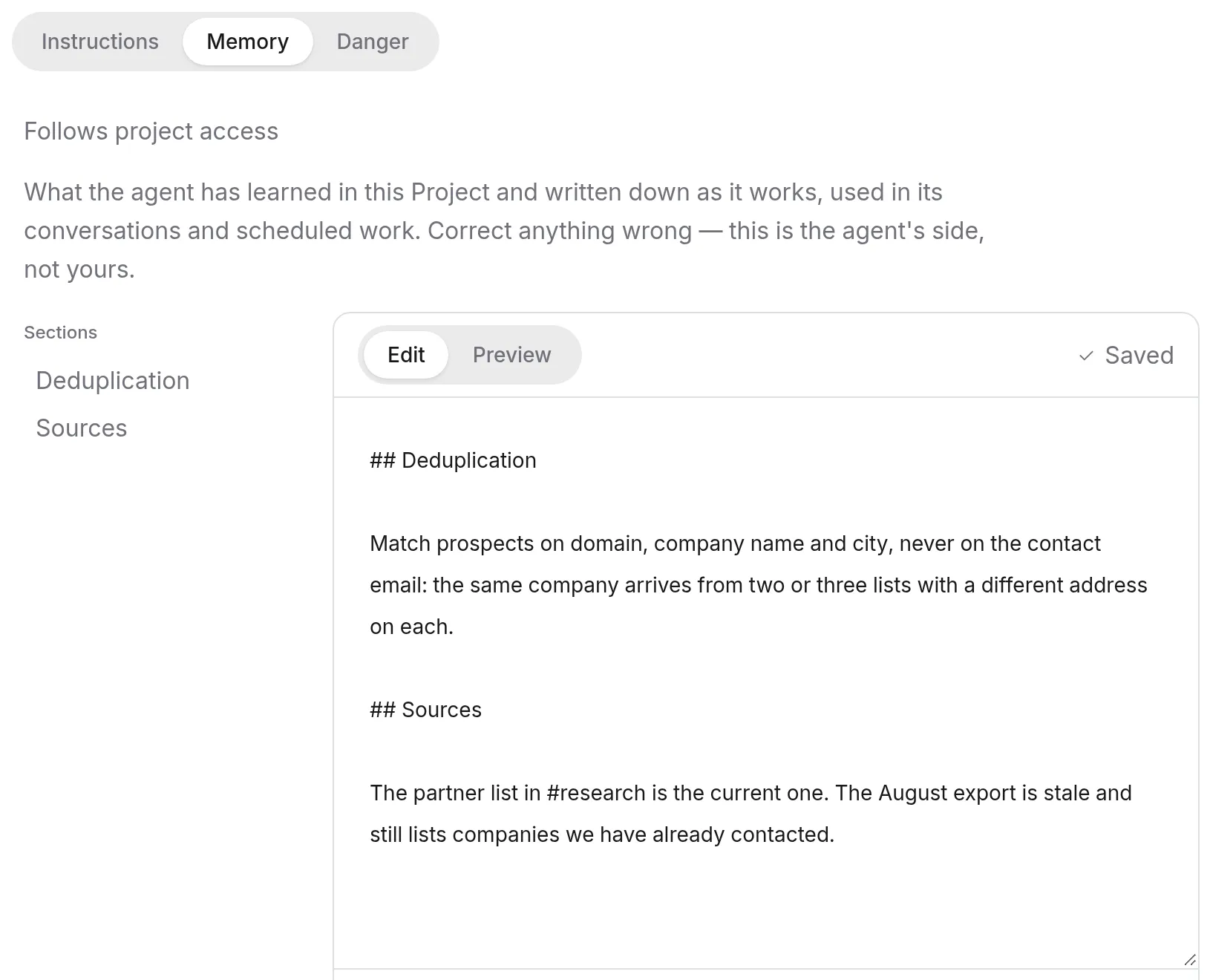
Fix the line that is wrong
Change or delete the text, then press Save changes. Clear document empties the whole thing, which is rarely what you want.
You do not have to wait for settings to catch a bad memory. When the agent writes one, a short line appears under its reply, inside the Worked for … disclosure, with Undo and Open beside it. Undo takes that memory back. Open takes you to the document it was written to.
Organization instructions
One set of instructions sits above every project. It lives at Settings › Organization › Instructions, headed Organization instructions, and every project agent in the organization reads it on every reply.
Owners and admins write it. Everyone else in the organization can read it, so anyone can see what every agent has been told.
Put something here when it is true of the whole company: the legal name, the brand voice, a phrase nobody should ever use. Put it in a project’s instructions when it only makes sense inside that project: a client’s preferences, a campaign’s rules.
Tendo
Tendo, your personal agent, keeps its own memory, and it works differently. It lives on your account rather than in a project, so it follows you into every workspace you belong to, and only you can read it. Correct it at Tendo settings → Advanced → Memory, headed Personal memory.
Tendo has no instructions editor. Its Advanced section has Memory and Danger, nothing else. To change how Tendo behaves, tell it.
Troubleshooting
I can’t edit the instructions
Writing a project’s instructions or memory needs editor access on the project; with viewer access you can read both but not change them. Organization instructions need an owner or admin. Ask whoever manages the project to invite you as an editor.
The agent ignored something I told it in a conversation
A message in a conversation is part of that conversation. It is not a rule for every other conversation or for the project’s scheduled actions. Anything that should hold everywhere in the project belongs in the project’s instructions. If the agent keeps repeating an old fact, check its memory too: a wrong line there keeps coming back until someone fixes it.
Someone else edited the instructions while I had them open
If another person saved while you were editing, the panel tells you and offers Load latest version. Load it, then make your change again on top of theirs rather than overwriting it. Leaving the page with unsaved text warns you first.
Related
- Choose what a project can use — instructions set behaviour; integrations set reach.
- Share a project — who gets editor access.
- Tendo — your personal agent and its memory.